
Turn unknown AI use into controls your team can explain.
Review recorded activity from connected AI workflows, start with observation, and configure local policy actions when your team is ready. G.A.I.N. event records exclude prompt and file bodies.
Book a 20-minute callA common visibility gap
Security has an AI policy, but nobody can show whether it runs at the moment a paste happens.
G.A.I.N. connects policy to supported AI workflows on the device. Teams can see the tool and category involved, then choose the right response without forcing a blanket ban on AI.
Policy response
AI usage rule
Intended verified-path outcome: the user receives a local warning before submitting a configured data type.
How it works
A policy needs a real control behind it.
Start with a seven-day snapshot
Run observation first so policy choices use recorded events from connected workflows while documenting uncovered paths.
Choose rules by real risk
Apply different actions for client data, credentials, financial information, and custom business terms.
Show the evidence
Use metadata-only events and reports to explain what was recorded, then use workflow receipts to show which outcomes were verified.
Policy actions
Choose the response that fits the risk.
Understand before enforcing
Record metadata-only activity for a category without interrupting the person using the tool.
Make the decision visible
On a supported path, prompt a person to stop and review a risky paste before submission.
Set a hard boundary
On a verified block path, stop configured high-risk categories before submission.
A useful record of control, not a surveillance archive.
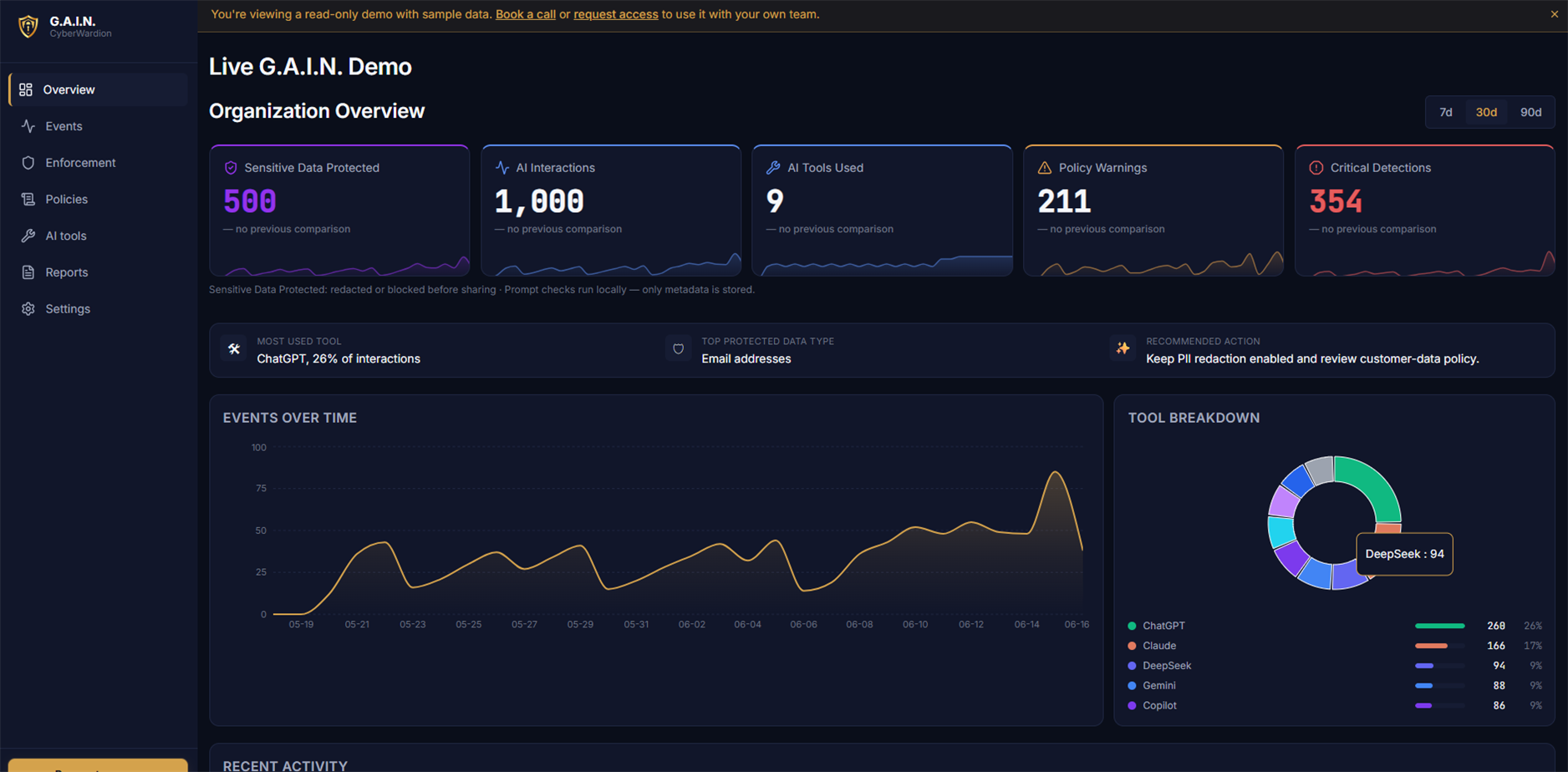
Managers can review the recorded tool label, department, category, reported action, and time without a prompt archive. A workflow receipt is still required for an enforcement conclusion.
- Tool
- Claude
- Department
- Finance
- Action
- Warn
- G.A.I.N. event record
- Prompt body excluded
Where this applies
- Supported browser AI tools and configured coding workflows.
- An observation-first rollout with log-only, warning, redaction, and block policies.
- Department and supported-tool policy scopes with metadata-only evidence.
What it does not claim to do
- It does not claim to discover every AI site on every unmanaged browser or device.
- Coverage depends on the extension or agent being installed, enrolled, healthy, correctly wired, and verified for the workflow.
- It does not replace AI vendor governance, access controls, or employee training.
Questions
Before you put a policy into production.
What is shadow AI?
Shadow AI is AI use that is outside the controls or visibility your organisation expects. The practical problem is not that people use AI, but that data can leave through a workflow no one can explain.
Can G.A.I.N. start in observation mode?
Yes. Start with log-only policies to understand normal work, then turn on warnings, redaction, or blocking only where the evidence supports it.
What is shown to managers?
Metadata such as the recorded tool label, policy category, reported action, department, and time. The dashboard excludes prompt and file bodies; the event record alone does not prove the provider-side outcome.
See the policy on your real workflow.
In 20 minutes, we can map the AI tools your team uses and show the policy actions that fit them.
Book a 20-minute call