This is what PleadTech looks like in a law office today, step by step. Every screen here comes from a local instance with made-up data. There are no real clients, cases or documents in them.
1. Email and documents go to the right case
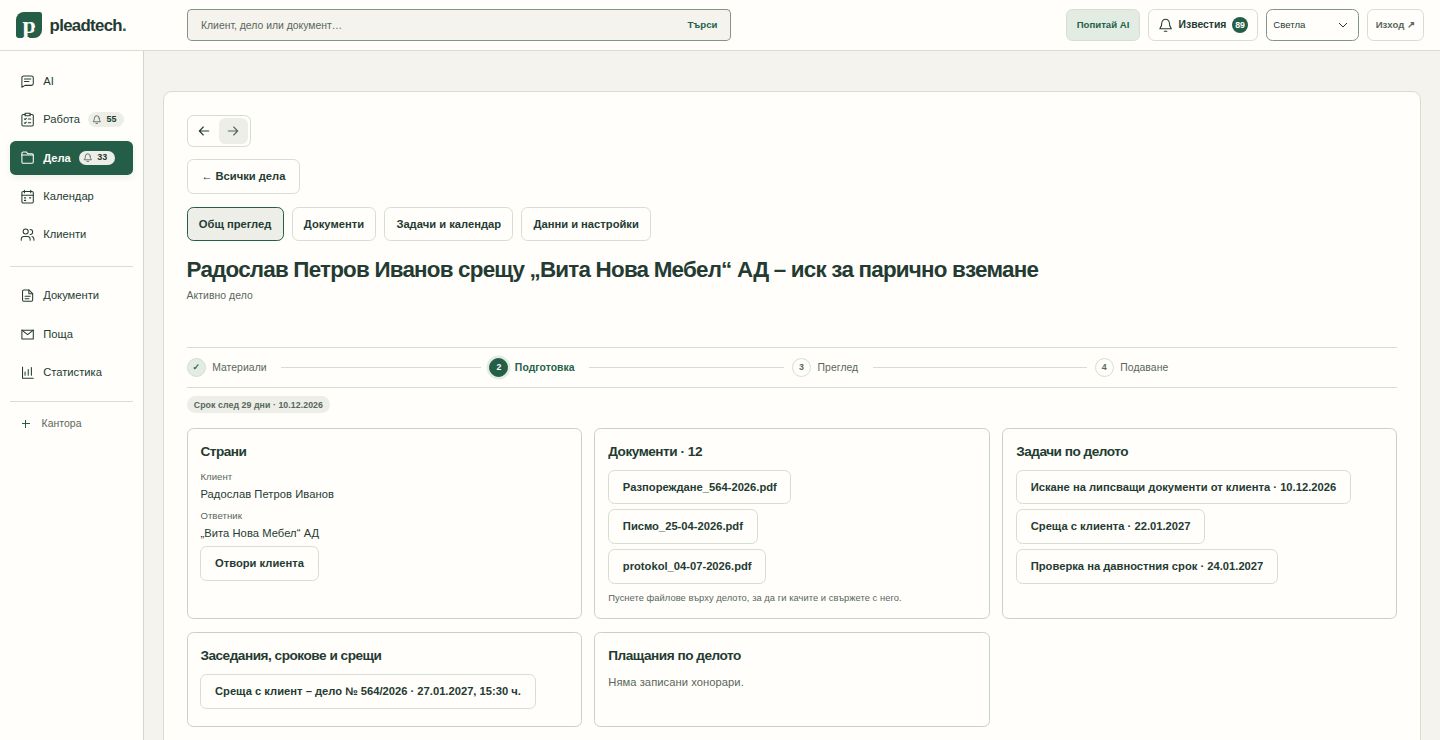
An incoming email and its attachments arrive in PleadTech, which files them to the right client and case. The same happens with documents you upload by hand. The case page shows the parties, the documents, the tasks and the stage the case is at.
2. Scanned documents are read with OCR
Scanned court papers and contracts go through OCR, so their text can be searched and used in drafts. PleadTech also writes a short summary of each document.
3. The draft follows the office’s own template
The office loads its own templates, such as an order-for-payment application under Art. 410 of the Civil Procedure Code or a request to adjourn a hearing. PleadTech fills the template with the facts from the case and its documents and prepares a draft in Word or PDF. The lawyer opens it, reviews it and edits it like any other document.
We timed this path on test files, with no real cases: from the documents to a draft ready for the lawyer’s review took under 4 minutes, with no manual steps.
4. Tasks across all cases in one place
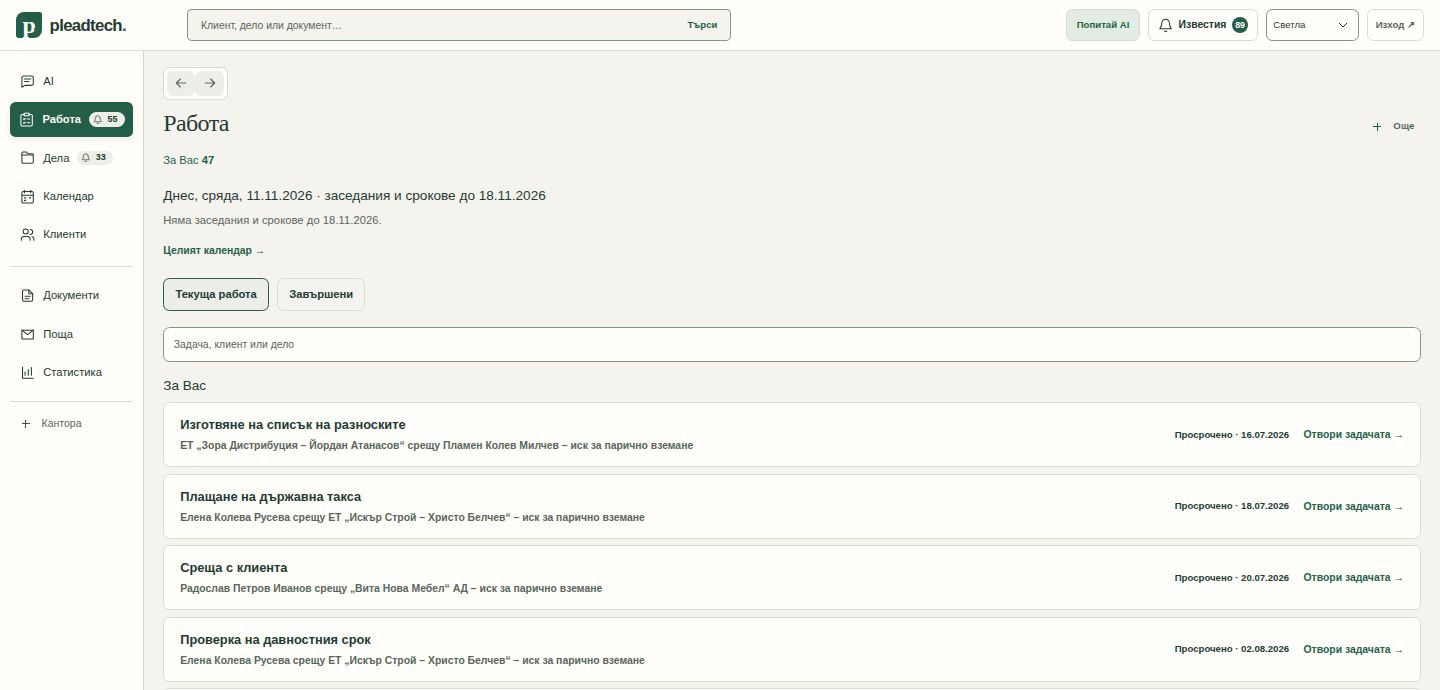
The Work view shows what is due today and what is overdue, across all cases. Besides tasks and a calendar, PleadTech has invoices, a client portal and an audit log.
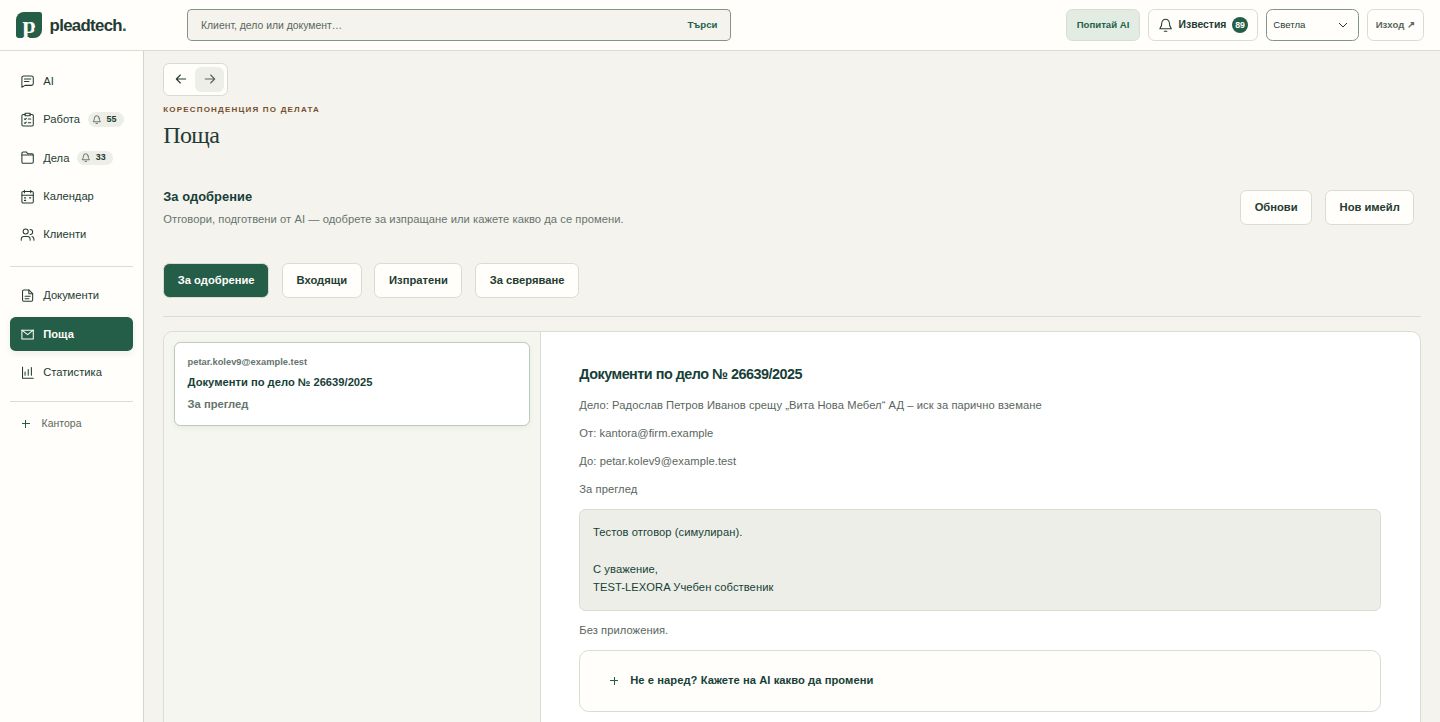
5. The lawyer approves everything that leaves
For each incoming email PleadTech proposes a reply. The reply waits for the lawyer’s approval, and nothing is sent without it. The same rule applies to every document that leaves the office.